 Report Phishing or Spoof email
If you receive a suspicious email FORWARD it to support@globalit.com. Our security experts will be able to look at the email to determine if it is a fake. There are some hints about identifying scam email below but it is often very difficult to tell for sure since the scammers adjust their tactics. So, if you have the slightest doubt, send it to our experts for investigation.
Note: Please FORWARD the suspect email don’t cut and paste the contents because valuable tracking information about the source will be lost.
What is phishing?
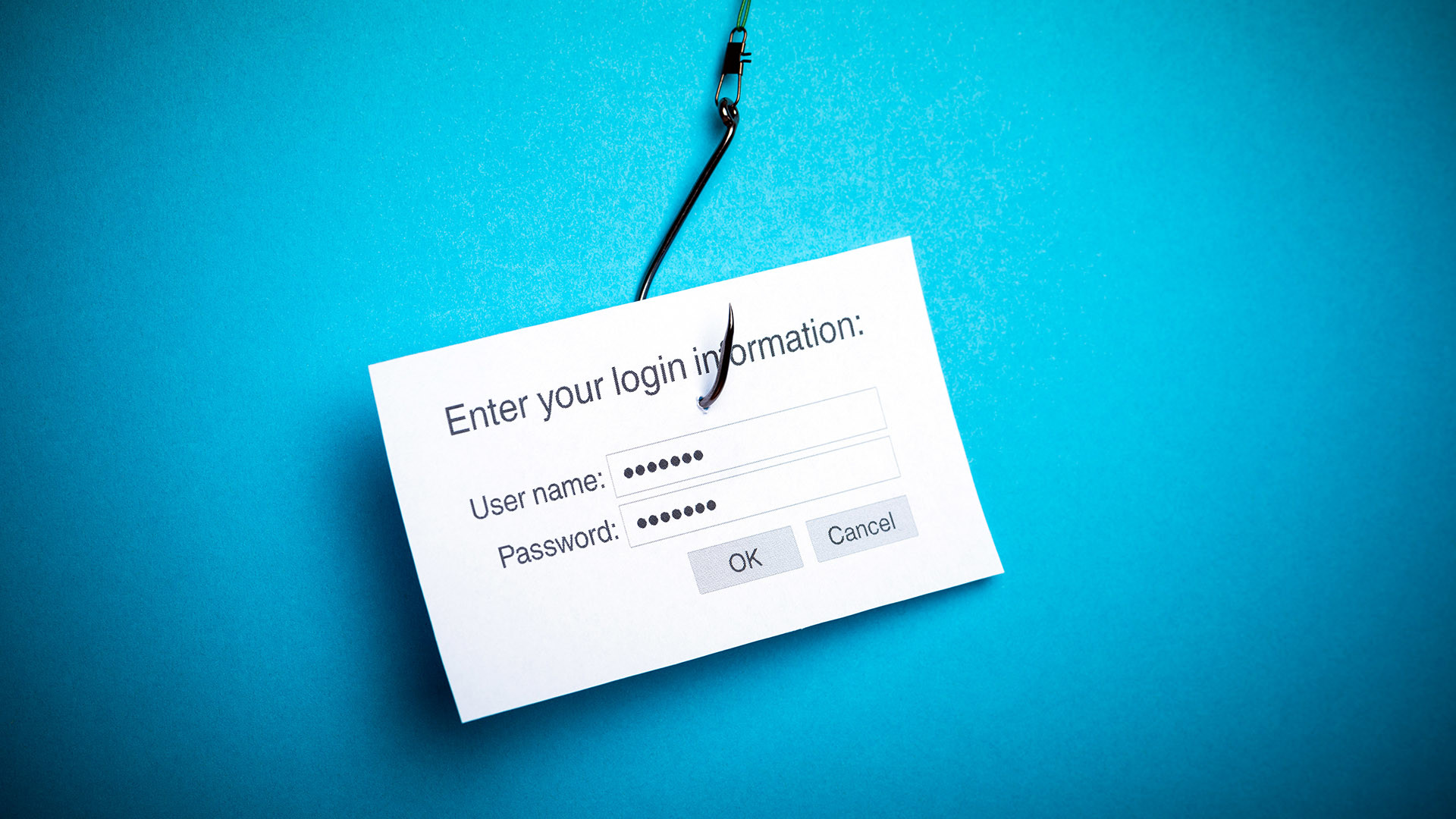
“Phishing” is an attempt to steal your information. Criminals pretend to be a legitimate business to get you to disclose sensitive personal information, such as credit and debit card numbers, bank information, account passwords, or Social Security numbers.
One of the most common phishing scams involves sending an email that fraudulently claims to be from a well-known company. However, it can also be carried out in person, over the phone, via malicious pop-up windows, and “spoof” or fake websites.
How Phishing Works
- A criminal sends a large number of emails to people using lists of email address identified as active or at random. These emails appear to be messages from a well-known company. A common example contains a fictitious story designed to lure you into clicking on a link or calling a phone number.
- The phishing email will ask you to fill out a form or click on a link or button that take you to a fraudulent website.
- The fraudulent website mimics the company referenced in the email, and aims to extract your sensitive personal data.
- In essence, you think you’re giving your information to a trusted company when, in fact, you’re giving it to a criminal.
Note that phishing emails can also lure you to open suspicious attachments or visit websites that can infect your computer with malware.
How to Spot a Fake Email
There are many telltale signs of a fraudulent email:
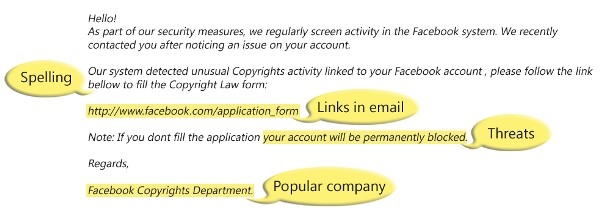
- False Sense of Urgency – Many scam emails tell you that your account will be in jeopardy if something critical is not updated right away.
- Fake Links – These may look real, but they can lead you astray. Check where a link is going before you click by hovering over the URL in an email, and comparing it to the URL in the browser. If it looks suspicious, don’t click.
- Attachments – Attachments can contain malware, so you should never open an attachment unless you are 100% sure it’s legitimate.
Here are some examples:
-
- You receive an email stating: “Your order #ZK04769 is confirmed for shipment tomorrow. Please click here to review the shipping details.” But you never placed an order so you click on the link and login to see what it is. Only later do you realize that the link took you to a bogus website.
- You receive an email stating: “We have noticed suspicious activity on your account. Please click here to review your recent transactions.” Once again the link takes you to a page that looks correct but is really a bogus link.
- “We would like to offer you a special $50 coupon for being such a good customer. This offer is limited to the first 100 people so click here immediately to claim your reward.” Instead of a reward, you are directed to a fake website where you might give up your account id and password which the scammers will use to spend from your account.
For more examples see these sites:
If you fall for Phishing:
There are plenty of clever scam attempts and new ones are being created all the time, so despite your best intentions it could happen. If you have a suspicion that you fell for a scam here are some steps to protect yourself:
- Change your account passwords, PIN’s and Security Questions immediately. Do this for all of your bank accounts, email accounts and other online accounts.
- Run an Antivirus scan on your system to make sure that you did not pick up a virus. Make sure that your system and Anti-Virus software is up to date.
- Check your online accounts and statements vigilantly over the next few weeks and months for unexpected actions.
Phishing Resources
Here are some useful links to more on phishing:
- http://www.antiphishing.org/resources/
- http://education.apwg.org/
- http://www.onguardonline.gov/phishing
- http://en.wikipedia.org/wiki/Phishing
- http://en.wikipedia.org/wiki/SMS_phishing
https://info.globalit.com/wp-content/uploads/2015/02/phishing-scam.jpg
Computer Security|Desktop Tips|Internet Security
 There are two types of common threats most non technical staff will encounter.