WIN Front Row Tickets to Fight Night In Los Angeles

Need a night out? Get your next one on us…
$300 in value!

WHAT: 2 VIP Front Row Seats
WHERE: Bonnaventure Hotel
WHEN: March 26 at 6pm
WHO: You & a friend
HOW: Refer to win

Global IT is giving you the chance to win 2 VIP front row seats to Fight Night at the Bonnaventure Hotel in Los Angeles.

All you need to do is refer us to someone who would benefit from our IT services. Get them to contact us providing your name as a reference. It’s that easy.

The more you refer, the more times you can enter, increase your chances of winning.

Click here for more information.

Contact us.

Case Studies

Transferring domain(s) away from Global IT Communications, Inc.


In order to transfer a domain away from Global IT, you will have to complete the following steps:

  1. Ensure all administrative and technical contact information is up to date.
  2. Request a Global IT administrator to turn off/cancel Protected Registration or Private Registration, if applicable. (Included with administrative fee*)
  3. Once requested a Global IT administrator will verify the domain is unlocked. (Included with administrative fee*)
  4. Initiate the domain transfer through your new domain registrar.
    • If applicable, request an authorization code from Global IT (Included with administrative fee*)
  5. Authorize transfer with your new registrar.
  6. Receive email notification from our registrar.
  7. Your new registrar will receive email notification from Global IT registrar of the transfer’s acceptance or rejection

*$35 administrative fee


https://info.globalit.com/wp-content/uploads/2016/03/3dd8499.jpg|https://info.globalit.com/wp-content/uploads/2016/03/transfer.png

Case Studies

How to Cast Webpages from one Computer to multiple Chrome Cast devices

chromecastThe Google Chrome Cast is a great entertainment tool as well as a great business companion. This 35$ stick opens the door to many content such as; Hulu, Netflix, Spotify, Pandora and so much more, but more important to us, at Global IT Communications, this little stick allows us to stream windows and content at full 1080p! Around the office we have 4 Chrome Casts plugged into 4 HD TV’s  and all managed  by one single computer. Chrome cast, officially, only supports one device (Computer) per chrome cast, but with a little bit of tweaking you can have one computer manage multiple chrome cast.

Chrome cast to multiple devices by following the steps below:

  1. To first make this work, we need to make sure to have the Chrome Cast extension and the window(s) in which you would like mirrored opened.
  2. Go into settings button on the top right corner of the screen and Create Multiple “People”. (I would suggest making the number of accounts and windows in which you would like to cast equal. So if there are 4 windows you would like to mirror make 4 “People” chromecast(This step should also open multiple windows
  3. Now you are going to click Chrome cast icon on the top right hand corner of the windows. Once the Drop down menu is open and click “cast screen/windows (experimental) within each chrome window and select the windows in which you want to cast.
  4. Then will ask you to select the window in which you wish to share.
  5. Do this for each windows with in the different people (account created)

More Information:

[alert type=”notice, warning, success, error, info” close=”true”]Do not minimize windows or else they will turn black on chrome cast displays.[/alert] [alert type=”notice, warning, success, error, info” close=”true”]do not try to cast from the same person or this will not work[/alert] . [alert type=”notice, warning, success, error, info” close=”true”]Tile Tabs for firefox will help with viewing multiple things in the browser such as graphs, information and more. [/alert] .

https://info.globalit.com/wp-content/uploads/2016/03/chromecast.png|https://info.globalit.com/wp-content/uploads/2016/03/chromecast1.png|https://info.globalit.com/wp-content/uploads/2016/03/chromecast.jpg

Case Studies

Telecom Case Studies

Depositphotos_41523119_xsSince 2000 Global IT has saved companies more than $100,000,000 in unnecessary technology expenses.

Case Study One

A public listed company, with multiple locations in USA and abroad required managed WAN, voice and Internet connections.
With our assistance the company gained total cost savings of more than $500K within 36 months.

Benefits Included:
Project management of network implementations and changes
Improved vendor communications and relationship
Improved invoicing with minimized invoices
Network planning & strategy, short & long term
Network optimization & consolidation
Increased network reliability, security and up-time
Single point of contact for all technical, billing and customer support

Case Study Two

Multi-Location Real Estate Co, with thirteen different  locations had limited IT resources, experienced consistent downtime and was tired of dealing with customer support that were unreliable and constantly made mistakes .

By changing to our services, the real estate company noticed a big change with our support team always available and prompt to solve issues.

Benefits included:
Project management of network implementations and changes
Increased network reliability, security and up-time
Single point of contact for all technical, billing and customer support
Cost Savings of more than $800k within 36 months
Improved vendor relations
Improved invoicing with minimized invoices
Network planning & strategy both short & long term
Network Optimization, consolidation

Case Study Three

Title and Insurance Co, was about to re-sign with their current provider for another term. They needed to expand operations however couldn’t afford to take on any unnecessary costs.

With our help the insurance company was able to gain cost savings of more than $4,000 each month. This allowed more capacity which helped support their new department.

Benefits included:
Improved day to day vendor management
Overall cost reduction
Provided single point of contact for all technical , billing and customer support

You no longer need to worry about losing money, lack of support, or  juggling multiple vendors. We will do all the work, provide you with progress reports and keep you involved throughout your term agreements for vendor management.

Whether you have one location or one hundred, Global IT has the experience improve your businesses technology systems, while saving you money at the same time.

https://info.globalit.com/wp-content/uploads/2016/03/Depositphotos_41523119_xs.jpg

Case Studies

13th Annual Global Green Oscar Party

13th Global Green Awards

Over 20 years ago, former Soviet president Mikhail Gorbachev started an organization called Green Cross International that was designed to bring environmental issues to the forefront. It did not take long for an American affiliate of the Green Cross to get started, and that affiliate is called Global Green. Thanks to the continued support of celebrities, politicians, and business professionals, Global Green has gained popularity in the United States, keeping the environment on everyone’s mind.

On February 28, 2016, Global Green held its 13th annual pre-Oscar party, the guests who attended were a litany of influential people. At the gathering, Global Green talked about the research it has done to help improve the environment, and its growing relationship with the World Bank Group’s Global Partnership program and the Connect4Climate initiative. To help get the message across, the group called on some very popular celebrities to entertain the large gathering of guests.

Stevie Wonder at the 13th Global Green Oscar Party.

Stevie Wonder was the headlining act, he got everyone’s attention when he debuted a brand new song. After unveiling his new song, Stevie Wonder then launched into a myriad of his other hits in which he changed some of the lyrics to help further the Global Green cause. If people are truly looking for deep-seated messages in music, they found a lot of environmentally-friendly messages in Stevie Wonder’s performance.

Then speakers such as renowned journalist Soledad O’Brien explained Global Green’s purpose, and discussed the details of the Connect4Climate initiative. Ms. O’Brien went on to discuss the U.N. Foundation and Global Green’s Champions program, which are two programs designed to reward countries, companies, and individuals who help bring more attention to the needs of the environment.

The event was held at Mr. C’s Beverly Hills Hotel, and it required a tremendous amount of technical support to be successful. There was miles of cabling required to connect the media representatives to their various outlets, a WiFi network to help everyone in the room connect their mobile computing devices securely to the Internet, and special attention was given to the 12th floor of the hotel where the guests spent time enjoying the festivities and a special cocktail party. There was also a need for installing special Infinity cameras throughout the venue for the added protection of the VIP guest list.

All of the technical expertise for the event was provided by Global IT. Throughout the years, Mr. C’s Beverly Hills Hotel has relied on Global IT for its routine communications maintenance, high technology repairs, and installation projects that involved any type of technology or communications equipment. So it was no surprise that Mr. C’s would turn to Global IT to outfit this special event and make it something spectacular for all of the guests to enjoy.

Global Green Annual Oscar Party

Global IT ran all of the cabling, set up the enhanced WiFi service, and ran the Infinity cameras to the 12th floor to enhance the entire experience for all of the guests. The technicians for Global IT were onsite to address any issues that may have popped up, which would explain why all of the guests and Global Green event organizers had nothing but praise for the way the event turned out.

Global Green continues its important work and is already planning their 14th annual pre-Oscar party for next year. Global IT continues to provide premium technical support to Mr. C’s, as well as countless other customers throughout the Los Angeles and Beverly Hills area. Whenever you read about an event going off without a hitch in a Beverly Hills hotel such as Mr. C’s, it is usually because Global IT was involved in the event in some way.

Find out more about Global IT here.

https://info.globalit.com/wp-content/uploads/2016/02/stevie-wonder-zoom-eed93f82-d73f-4aae-bb4c-2358a577d377.jpg|https://info.globalit.com/wp-content/uploads/2016/02/10612814_10154098774809155_8746439702489422376_n.jpg|https://info.globalit.com/wp-content/uploads/2016/02/12742282_10154098778269155_7398254737694682196_n.jpg

Events

Tech Giants & your Private Information

Apple San Bernardino tech protest
Line of protesters demanding Apple to crack open the iPhone at the center of the San Bernardino investigation.

Apple has unlocked iPhones for authorities at least 70 times since 2008. Google celebrated Internet Safer Day earlier this month to raise awareness of ‘how they can help you stay secure online’.

Tech companies have been battling relentlessly with governments over access to people’s electronic information.

Last Tuesday rallies were held across the US to protest the FBI’s demands that Apple unlocks the iPhone at the center of the San Bernardino investigation.

A week before protests were held to support Apple, with campaigners gathering in front of Apple stores with branding signs and slogans, “Don’t break our phones”. Read the full story here.

Apple CEO Tim Cook announced that the company wouldn’t comply with a government search warrant to unlock an iPhone used by one of the San Bernardino shooters.

The case has placed technological security in the spotlight, with Apple acknowledging it could extract the information.

Apple defended itself in the San Bernardino case, with Cook stating the action as, “an unprecedented step which threatens the security of our customers.” This contradicts their previous stance, as Apple has unlocked approximately 70 iPhones for authorities in the past.

However, the U.S. government has taken things to the next level, by pushing Apple to create new code which would allow the government to bypass iPhone security protections.

Some argue this is an ethical dilemma when government agents are forcing individuals of a private company to perform a task, where the employee is stuck between keeping their job and abiding by the government. Read the full story here.

Apple San Bernardino tech protest
Protestor standing for privacy protection supporting Apple in the San Bernardino case.

It is not all doom and gloom with the tech corps still keeping the public in mind.

Earlier this month Google celebrated Safer Internet Day with the redesign of its ‘Good to know site’, which is all about how to stay safe online.

The website launched late last year and is the search engine’s biggest consumer education campaign. Focusing on the web safety, dangers of the internet, scams, along with advice on how to keep your devices secure. Read the full story here.

But can we depend on tech giants with our personal data, do they really have our interest at heart, or is it just about public relations?

Apple further argued in the above case that extracting the data could threaten consumer trust and tarnish the brand.

There are blurred lines between private information, public security, and government control. For now, there’s not much we can do other than taking appropriate precautions online and being aware of what’s happening in the tech world, to defend our rights if we need to.

Need advanced computer security protection? Take care of your computer today. Click here for more information.

https://info.globalit.com/wp-content/uploads/2016/02/save-our-iphones-800×516.jpg|https://info.globalit.com/wp-content/uploads/2016/02/Cb8mviUUkAAglxW-800×603.jpg

Tech News

Internet Security: The Global Eye

Global eye

Get protection against all types of internet security, such as malware, viruses, and hacking.

From online shoppers and bloggers to business owners, and researchers, all internet users need the latest security suite of software to protect their files, documents, and computer programs.

Make sure you take security precautions; otherwise your system is at risk of being down for hours or even days. For those who rely on computers, whether it be for business purposes or studying online, having your computer down can cause major issues and unexpected delays.

But honestly, who has time to monitor their computer for threats and viruses, on a day-to-day basis!?

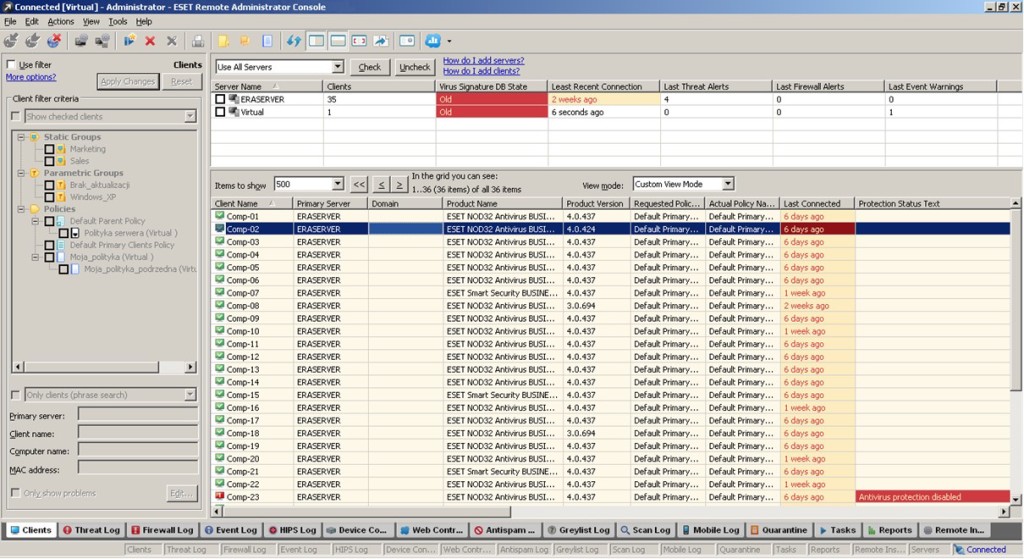
Let the Global Eye do the work for you, offering built-in firewall and browser protection, against all types of malware: viruses, spyware, and adware. Operating 24 hours a day, 7 days a week, 365 days of the year. The Global Eye provides more than internet security, by actively monitoring devices, networks ISP’s, server resources, logging,  and notifies of threats, to help ensure your data is safe.

Don’t rely on free security protection software, as they are unreliable, ineffective, and come with their own kind of pre-installed spyware.global eye

One customer – A large high-end hotel decided to make the switch to the Global Eye. Once installed and configured, The Global Eye immediately picked up on hiding malware that their previous paid security protection failed to detect.

Get safe with The Global Eye today from $2.50 a month. Expect industry-leading security software, providing more than advanced security protection, recommended by IT industry professionals worldwide.

LearnMoreButton345x53_CompSecurity

https://info.globalit.com/wp-content/uploads/2016/02/EYE_SCREEN.jpg|https://info.globalit.com/wp-content/uploads/2016/02/gyj.jpg|https://info.globalit.com/wp-content/uploads/2016/02/LearnMoreButton345x53_CompSecurity.png|https://info.globalit.com/wp-content/uploads/2016/02/LearnMoreButton345x53_hospitalityIT.png|https://info.globalit.com/wp-content/uploads/2016/02/LearnMoreButton345x53_ManagedISP.png|https://info.globalit.com/wp-content/uploads/2016/02/LearnMoreButton345x53_ManagedTelco.png|https://info.globalit.com/wp-content/uploads/2016/02/LearnMoreButton345x53_CloudService.png

Computer Security|Internet Security

Pros & Cons of Free & Paid Internet Security and Antivirus Software

In the dangerous world of the internet, it makes good sense to invest in internet security protection. Anything that is free always seems like the better option, but when it comes to internet security software, is free really worth it!?

There are plenty of companies out there offering services to keep your computer clean from dangerous viruses. When it comes to antivirus software most people think the free option will do. However, the easy road often comes with an unexpected price.

Here are some things to consider when deciding on the right antivirus software for you.

Free Internet Security and Antivirus

The main advantage of free Internet Security software is that there’s obviously no cost involved.  However, this does come with the cost of advertisements and toolbars, which you have to install in order to use the service.
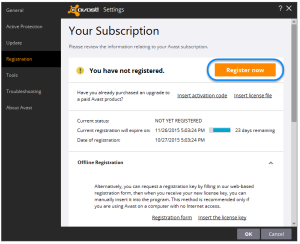
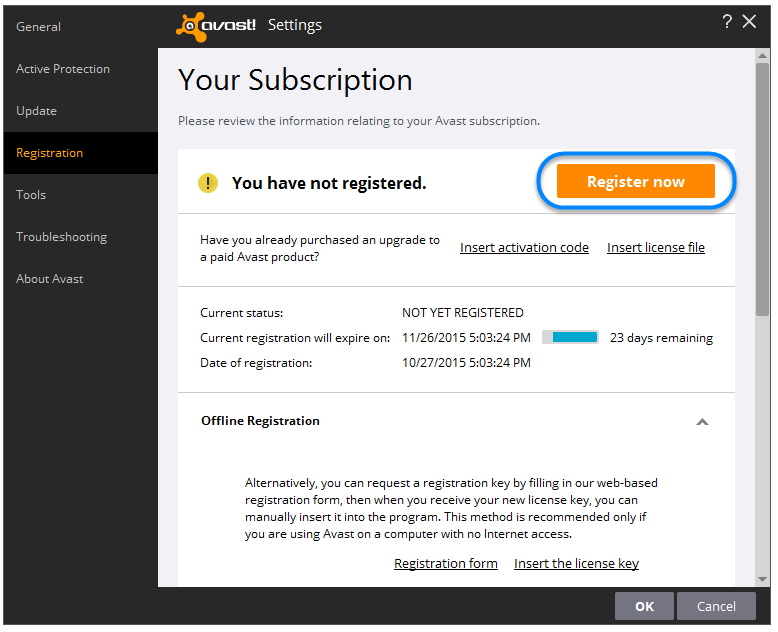
register_1There are also limitations; the free version may only protect your system from specified viruses and does not offer comprehensive active grid protection or browser spyware and adware protection that you may need. It also doesn’t include quick-response support, active monitoring and doesn’t have the backing of large research teams, who actively seek out and mitigate new threats.

Free internet security or antivirus software is essentially a marketing tool, letting you use a free trial to persuade you into buying the full-paid version of a product that is very likely inferior to competing brands.

The free software does give the advantage of trying a number of different products if you’re considering buying full coverage. At the end of the day, free internet security software does provide basic, limited protection.

Paid Internet Security and Antivirus

Paid software has a number of advantages, which when using the live grid signature update, can actually prevent a problem from occurring in the first place. Not only is it far more comprehensive with more protection, but it will also usually contain other benefits such as browser protection, anti-spyware, anti-adware, firewall, and automatic updates to the latest versions.

Another advantage is multi-user licenses are available, so you can cover all your IT without purchasing separate software. This is extremely useful for businesses, families, or if you have more than one computer.
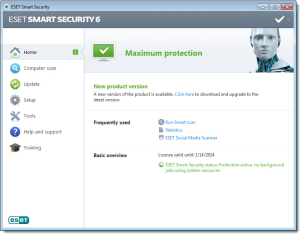
SOLN2476FIG1-2V7Paid services also often include backup and recovery tools, useful if your computer crashes. Then there’s the benefit of warranties, guarantees, support, and offer performance enhancement options, to ensure your computer is always running at its peak efficiency.

When purchasing through a licensed reseller they may offer you proactive monitoring of that PC security for free. This is beneficial to know that an IT company, with resources, is also looking out for your internet security, and you are protected!

The Verdict

When deciding on the antivirus software that works for you, there are advantages to both free and paid services.

Overall paid services provide better protection with additional features and bonuses, but this does come with a price.

The verdict really depends on how often you use the internet, who needs to be protected (Family, Children, staff), whether you need just virus protection or the whole Internet security suite, and your budget.

It’s always worthwhile to discuss your options with an expert. One of our team members will be happy to provide advice on what’s best for you and your business or family. Contact us if you would like a professional opinion.

Get advanced computer security protection here.

https://info.globalit.com/wp-content/uploads/2016/02/security3.jpg|https://info.globalit.com/wp-content/uploads/2016/02/register_1.png|https://info.globalit.com/wp-content/uploads/2016/02/SOLN2476FIG1-2V7.png

Computer Security|Internet Security

ESET North America Partner Conference 2016

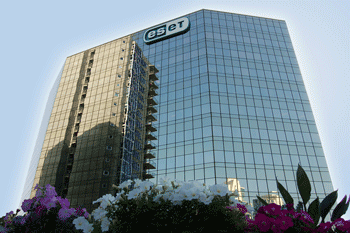
eset_building_01Earlier this month, the ESET North America Partner Conference (ESET NAPC) was held at the Hard Rock Hotel, in San Diego California, from Monday 1 February to Wednesday 3 February. Being a partner of ESET, Global IT CEO/President Tony Williams and Senior Systems Administrator Steve Anderson, attended the event. The three day conference covered in depth discussions on computer security software ESET’s role and how to advance its use with business.

On the first day of the conference, all partners arrived in the afternoon to register and check in to the Hard Rock Hotel. Things kicked off early Tuesday morning, starting with breakfast at 8:00am. This was followed by welcoming and opening remarks, then it was straight into ESET business.

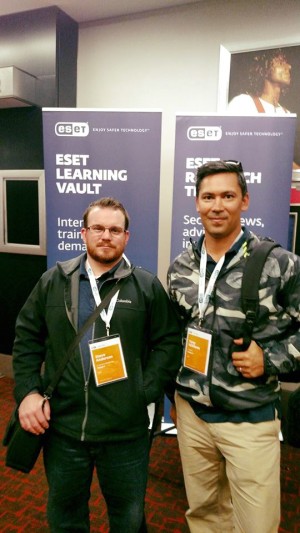
Right to Left: Global IT Steve Anderson- Senior Systems Administrator, and Tony Williams- CEO/President, at the ESET North America Partner Conference 2016.

Tuesday topics included, ESET Performance & Global Growth, ESET Core Technology, ESET Product Roadmap, ESET Partner Connect Program and ESET Security Solutions. Steve found the ESET Business Products Deepest Dive topic particularly interesting, 

[pullquote align=”center”]“I enjoyed learning about new ESET product additions, the virtualization security and mobile device management for Apple iOS really stood out to me. I also thought it was great how they made improvements to the ESET Remote Administrator 6.3,” said Steve.[/pullquote]

The third and final day of the conference, got straight back into the swing of things. Topics focused on marketing and public relations tips, along with ESET partner awards. Tony found the marketing and public relations topics helpful,

[pullquote align=”center”]“We had discussions with their research and engineering team on how we can go about implementing the ESET technologies into our managed cloud and ISP division. In addition, Global IT is in the process of expanding marketing and public relations strategies. So it was valuable to gain insight from other professionals in the IT industry and understand ESETS passion and expertise behind the business,” Tony said.[/pullquote]

Tony and Steve thoroughly enjoyed the conference and look forward to the next ESET NPAC in 2017.

Get ESET computer security protection here.

https://info.globalit.com/wp-content/uploads/2016/02/12651220_945959905441169_8490044131775627746_n.jpg|https://info.globalit.com/wp-content/uploads/2016/02/12651220_945959905441169_8490044131775627746_n1-e1455059366949.jpg|https://info.globalit.com/wp-content/uploads/2016/02/eset_building_01.gif

Case Studies

Choose which IMAP account folders to appear in Outlook

ProTip: It is best practice to regularly check your junk email folders to ensure no safe emails have been improperly labeled as junk. It is best to check this folder once a day and delete the contents of the folder weekly or bi-weekly.

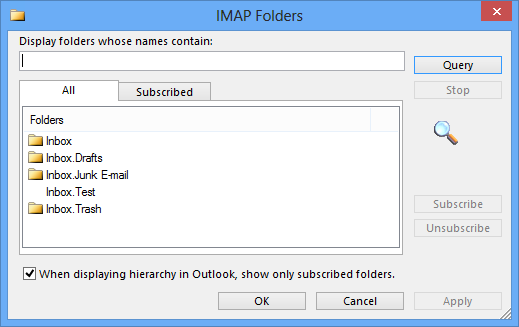
When using an IMAP email account, an IMAP folder list can be downloaded that displays all the folders contained in your account on the mail server. You can then select which folders that you want to subscribe to or view on your computer.

  1. In Outlook, in the Navigation Pane, right-click the top folder for your IMAP account.
  2. Click IMAP Folders.outlook_imap_folders_1
  3. Click Query.imap-2013-imap-folders-query
  4. Click a folder, and then click Subscribe or Unsubscribe.outlook_imap_folders_3

NOTE: To select multiple folders, press and hold CTRL as you click folder names.

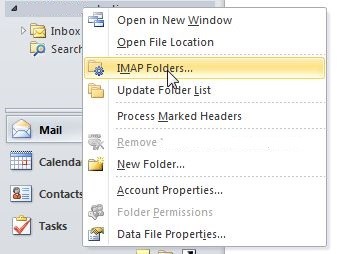
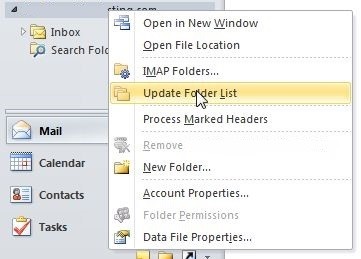
If you have created a new folder on the mail server in another application or using a web browser, and the new folder doesn’t appear in the IMAP Folders dialog box, you can update the folder list by doing the following:

  1. In Mail, in the Navigation Pane, right-click the top folder for your IMAP account.
  2. Click Update Folder List.outlook_imap_folders_4

Repeat the steps in the first section and all of your IMAP account folders appear. You can then click Subscribe or Unsubscribe.


https://info.globalit.com/wp-content/uploads/2015/07/imap-2013-imap-folders-query.png|https://info.globalit.com/wp-content/uploads/2015/07/outlook_imap_folders_1.jpg|https://info.globalit.com/wp-content/uploads/2015/07/outlook_imap_folders_3.jpg|https://info.globalit.com/wp-content/uploads/2015/07/outlook_imap_folders_4.jpg

Desktop Tips|How-To