Women in IT

It is 2019, women in tech are on the rise and making their presence known in a historically male dominated industry.

Early Education for IT based Careers

Historically, boys have received more positive reinforcement in their pursuit of IT related educational goals, while girls were often pushed to pursue non-tech related fields, but this is changing. According to a Small Business Trends survey, girls have a natural interest in tech related fields that typically peaks at 11 years old. In 2018, more than 38,000 girls took the Computer Science Advanced Placement exam in high school, this is 10 times the number of girls that took it in 2000, so the interest is there and it’s growing. This trend has also expanded to college where there is an upward trend of women graduating with degrees in IT related fields. According to the National Center for Women & Information Technology, more women are obtaining computing degrees, but a large gender gap still exists.

The Workplace

According to the U.S. Bureau of Labor Statistics, women make up about 57% of the labor force. However, women make up less than 20 percent of U.S. tech jobs based on data from virtual event solutions company Evia.

Even with the small percentage of women holding onto an IT position in the tech industry, many are discouraged from keeping their position. In fact, women are twice more likely to quit their IT job. Why you ask? Because of the many different issues revolving around gender inequality, the pay gap and their overall workplace experience with their fellow male coworkers.

Fortunately, this isn’t always the case. Many women in the IT industry find the support they need from fellow female industry peers, focusing on their own skills and abilities and even finding a mentor. In an article written on the website fairygodboss.com, one woman stated:

“There is strength in numbers and the numbers representing women in tech are not currently in our favor—yet. Every unique challenge brings an opportunity to do something about it. Being a woman in tech is a badge of honor. Wear it proud, loud and continue to do the hard work to help lead the way for others. Even if you’re uncomfortable inciting change at your own company, there are plenty of ways to make a difference.”

Michelle Wingard

How You Can Help

Plain and simple – pursuing a career in technology is more difficult for women than it has been for men. A vast number of girls and women do not pursue a career in tech because society tells them that they are neither good or smart enough to take on such a scientific and technological position. The next time a female speaks to you about her passion in tech, shows interest in the field or is currently trying to pursue a career in it, we encourage you to encourage her, support her and remind her that she is capable of taking on such a male dominated field of IT.

Here at Global IT, we believe in providing supportive mentors that encourage young women to continue their pursuit of their tech related goals and we understand the importance of continued support and increasing post-graduation career opportunities in order to do our part in closing this gender gap. That is why we offer mentorship and internship opportunities to young women in high school and college that have an interest in IT. If you or someone you know is interested in learning more about these opportunities, please contact us at info@globalit.com for more information.


https://info.globalit.com/wp-content/uploads/2019/07/saltwomenintech.png

https://info.globalit.com/wp-content/uploads/2019/07/saltwomenintech.png|https://info.globalit.com/wp-content/uploads/2019/07/grace-hopper2-100689164-large.jpg

Tech News

11 Ways to Have a Better Online Experience

In today’s society, using the internet and computers is a lot different than what it was when they first came about. Although we are living in a world of spam, viruses and malware, there are many ways to stay safe. Take a look below to learn more about what to keep an eye out for and how you can avoid being a victim to hackers.

Things to Do for Internet Security

  1. Relying on default security software

Where many people are mistaken is thinking that once they purchase a new computer or device that nothing can go wrong with it. This couldn’t be any further from the truth. Anyone that catches a hold of your internet connection, hackers for example, are able to discover not only all the sites you have visited but all the things you have ever searched for as well.

The way you can help prevent this is by installing a VPN (Virtual Private Network) to make sure that your data is secure by hiding your IP address. This will also help by making sure that all of the data you receive and send is completely unreadable.


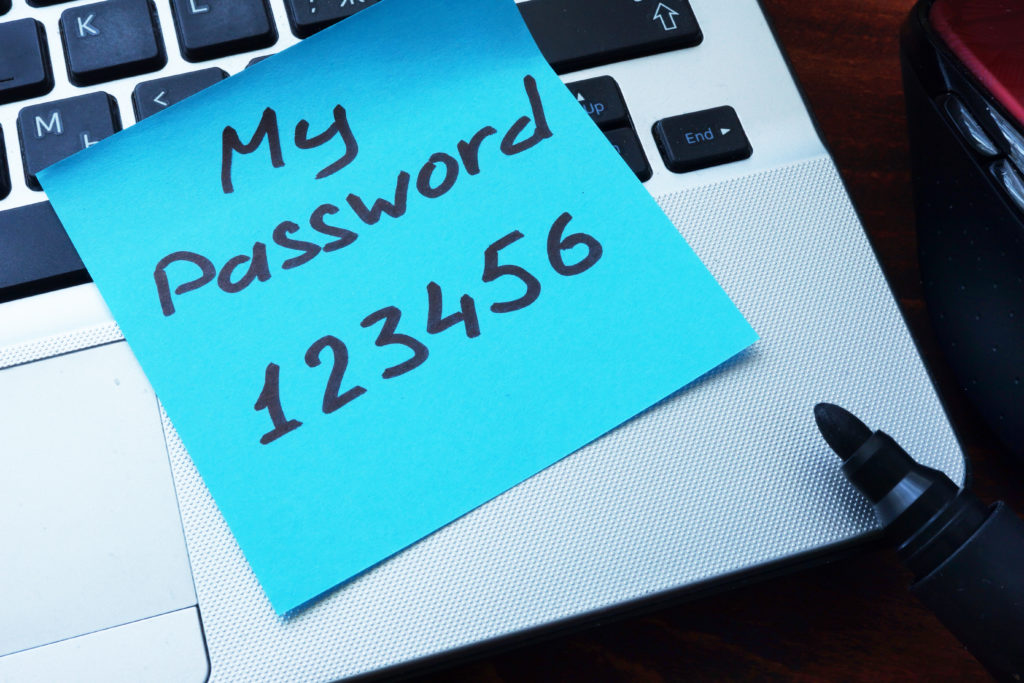
  1. Having a weak password

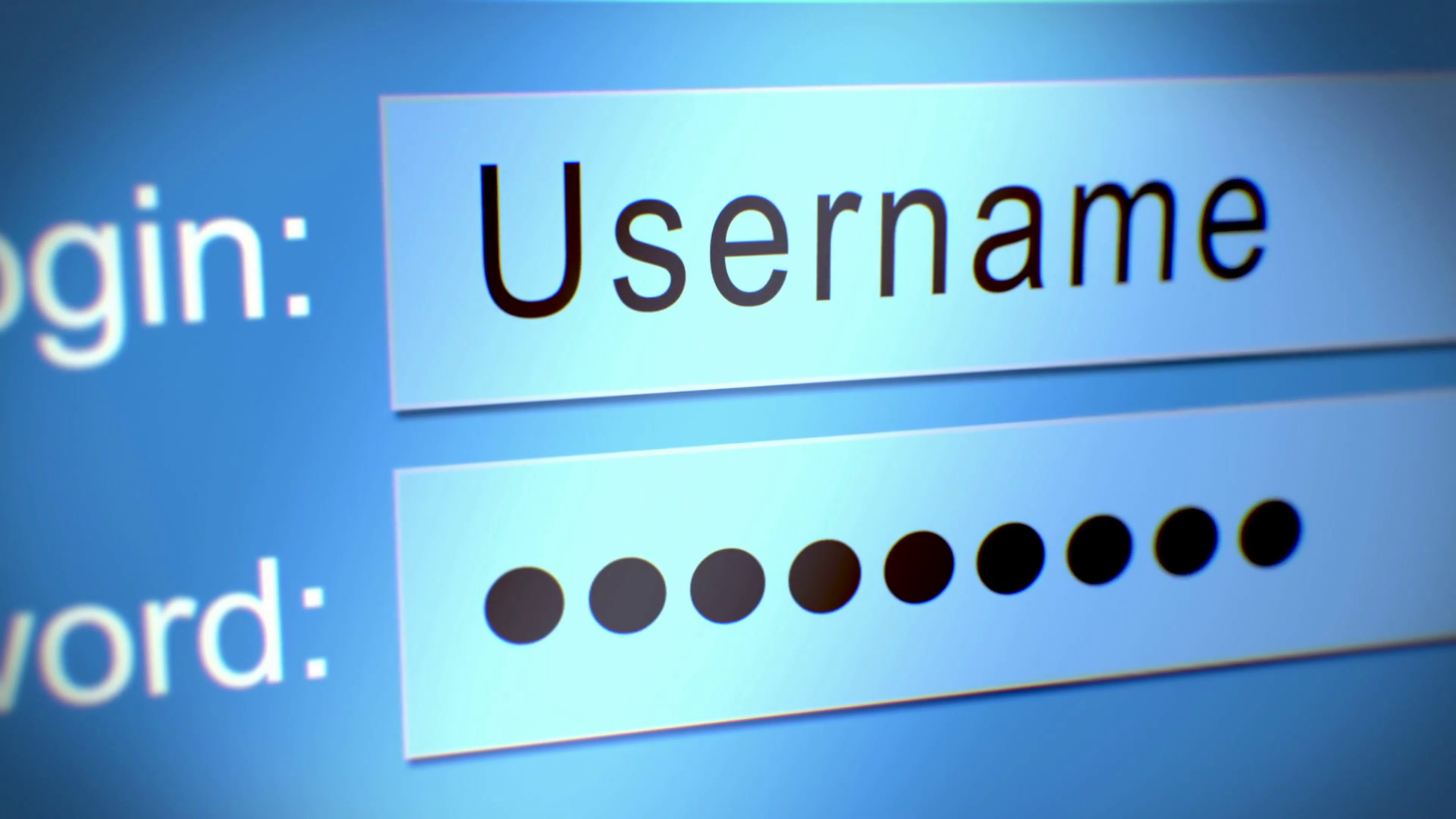
Cyberattacks hit businesses every day throughout the world. Why you ask? For many reasons, but one of the main ones being because of simple passwords. Avoid being an easy target by creating a complex password to lessen the chances of being hacked. Some websites are aimed to help you test if your password is strong enough. Check to see if yours passes the test.


  1. Using the same password on multiple sites

Not only is having a weak password erroneous, but so is using the same password for every account – it’s basically like having the same key to every door. If you have the exact same password on multiple sites and someone gets access to one of them, your chances of being hacked across all platforms jumps significantly higher. Take the time to make sure you change all passwords are unique, especially for your financial and personal accounts.


  1. Frequently visit untrustworthy websites

A big recommendation when surfing the web is to mainly stay on sites that are secured rather than the ones that are not. A good way to tell if a website is safe to visit is to lookout for the “HTTPS” in front of the link, this means that your data will be transmitted securely. Another way is to search for any contact information. 44% of computer users said if a website is lacking any type of phone number or type of contact that they are more than likely to leave the site.


  1. Connect to public WiFi

A huge mistake many of us make is connecting to public Wifi. For starters, it isn’t secure. Even if the public WiFi requires a password, do not be fooled. These businesses give out their password everyday to hundreds of people. This is why you should never log into any of your financial accounts for the sake of your information being stolen. According to CSO Online, “One of the biggest threats with free WiFi is the ability for hackers to position themselves between you and the connection point. So, instead of talking directly with the hotspot, you end up sending your information to the hacker.”


  1. Too many browser extensions

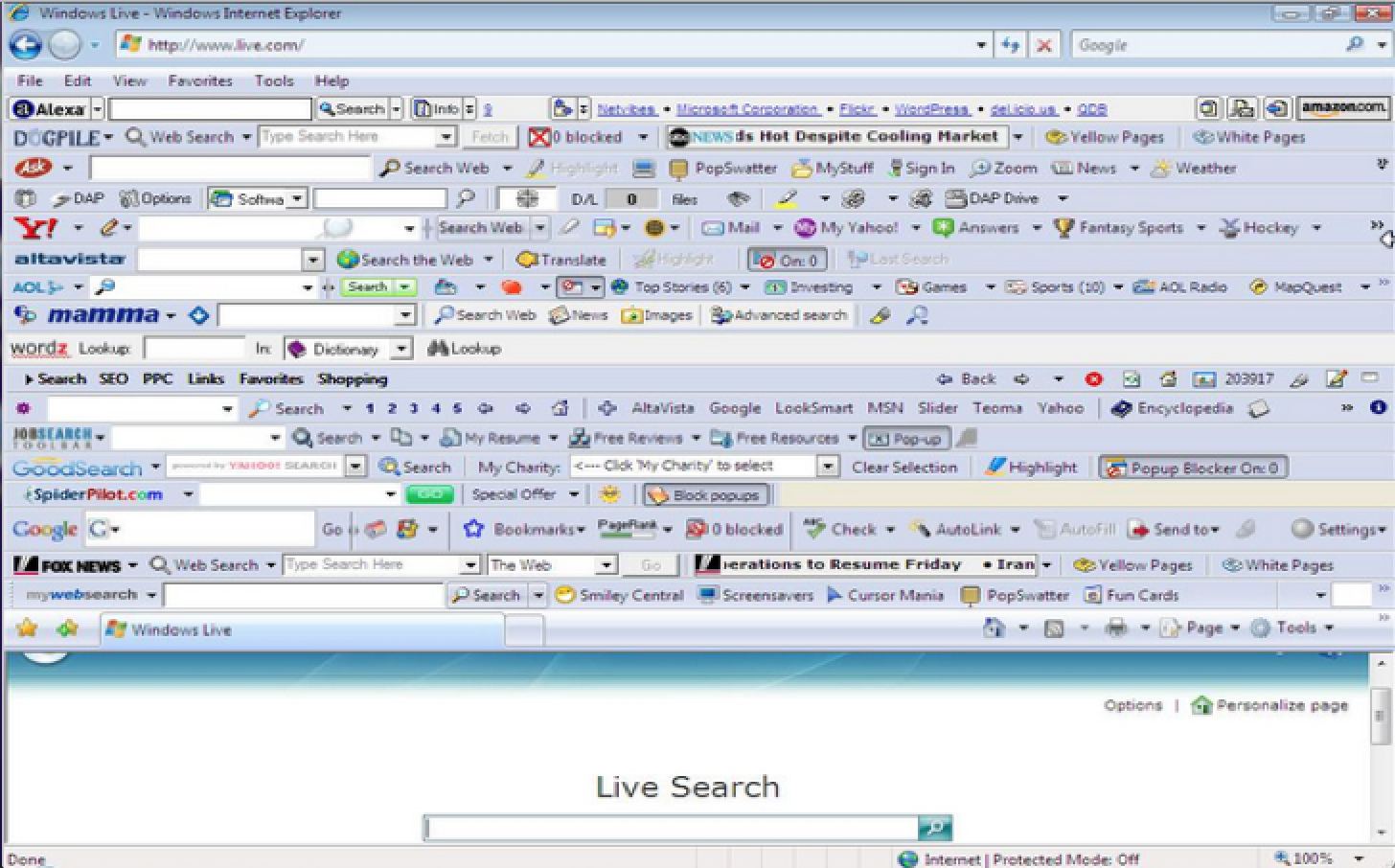
Take a minute to see how many browser extensions you have floating at the top of your internet browser. Did you know that having too many is a lot more dangerous than you think? Yes, these small tools can help you easily access your everyday websites quicker but they can also remember personal information about you as well as some attaining malicious extensions.


  1. Two step authentication

A two-step authentication is basically a way to double check and verify that your identity is legitimate. It works by taking the extra step by having different layers of verifying tactics to make sure you are who you say you are. Its ultimate purpose is to make hackers chances of hacking you less likely and less easier so be sure to have this verification set up on as many platforms as you can.


  1. No lock screen protection

Always lock your computer or phone when you are going to leave it unattended. Although most people who walk by your desk or your phone won’t harm your devices, it is better to be safe than sorry. By not locking your items, you’re leaving very sensitive, valuable and highly personal information out for grabs.


  1. Ignoring anti-virus updates

How many of us have been in this scenario where we turn on our computers and the first thing we see is “Update Software” and ignore it? Did you know that 98% of computer hacks can be completely prevented if only we took the time to update our antivirus software? And why are these software updates so important you ask? They’re important because they are fixing any issues your computer may be having – from minor bug issues to making sure your computer is up to date with the latest changes that are constantly being developed. Ultimately and most importantly, it’s to make sure that you and your computer or device are secure.


  1. Failing to backup data 

Failing to back up our data is a huge mistake that many of us tend to do. The main reason why data backup is so important is to save important files, pictures and documents if your system were to ever crash. This is exactly why cloud operations are available. Additional backup is crucial if a disaster occurs.


  1. Clicking random links in emails

Majority of people’s computer and devices are susceptible to hacking and malware because of the attachments they open in the emails that they receive. One simple and basic rule to follow when receiving emails from someone you don’t know is to not open it. Another way to avoid getting hacked is by also installing an anti-spam and an anti-virus software.


All in all, good judgement is required when spending our time online. We should try our best not to be too naive when coming across things that seem suspicious and to always try our best to stay two steps ahead. Be sure to do your research and to take precaution.

What are some ways that you like the stay safe when being online or using your computer? Let us know!


https://info.globalit.com/wp-content/uploads/2019/02/5-WAYS-TO-IMPROVE-YOUR-ONLINE-CUSTOMER-EXPERIENCE.png

https://info.globalit.com/wp-content/uploads/2019/02/5-WAYS-TO-IMPROVE-YOUR-ONLINE-CUSTOMER-EXPERIENCE.png|https://info.globalit.com/wp-content/uploads/2019/02/572158-636547259402477274-16×9.jpg|https://info.globalit.com/wp-content/uploads/2019/02/public-wifi-1024×683.jpg|https://info.globalit.com/wp-content/uploads/2019/02/Untitled-design-2.png|https://info.globalit.com/wp-content/uploads/2019/02/Untitled-design.png|https://info.globalit.com/wp-content/uploads/2019/02/computer-password-safety.png|https://info.globalit.com/wp-content/uploads/2019/02/visiting-untrustworthy-wesbites.png|https://info.globalit.com/wp-content/uploads/2019/02/Passowrd-security.png|https://info.globalit.com/wp-content/uploads/2019/02/BBJB6oz.jpg|https://info.globalit.com/wp-content/uploads/2019/02/videoblocks-computer-screen-with-login-and-password-form_sqhc9yuxw_thumbnail-full06.png|https://info.globalit.com/wp-content/uploads/2019/02/computer-internet-security.png

Internet Security

What You Need to Know About Los Angeles IT Outsourcing

Do you have questions about outsourcing to a Managed Services Provider Los Angeles? This article may help answer some questions.

What Exactly Is Outsourcing IT?

Outsourcing IT is when a company outsources things like tech support, cloud backup, internet service, firewall services, disaster recovery, telecom services, and compliance to a third-party company. This company is often called a managed IT company but they’re also known as a tech support company, an IT consulting company, a managed service provider, or simply an IT support company.

The Financial Benefits of Outsourcing IT to a Firm in Los Angeles

1) Less Equipment Cost- When a managed IT provider manages your IT infrastructure, you can downsize your equipment. That’s because your computers/data will be at their data centers. That will save you lots of money. However, it’s important that you get a company with data centers in Los Angeles. That way your equipment is always close.

2) Reduce Full-Time IT Staff- Outsourcing IT to a Managed IT firm in Los Angeles allows your IT team (or person) to focus on their core responsibilities. Many times that saves you from having to hire another employee.

3) Stable Monthly Costs- If your managed IT firm is in Los Angeles, they will be available for on-site visits. Some companies (like Global IT) have a certain amount of on-site visits included in their monthly subscription. Also, some IT firms (like Global IT) include an unlimited amount of remote support hours in their monthly subscription. In other words, even if you’re having an unusual amount of tech support problems in a month, your bill will remain stable if you’re on a managed IT plan.

4) Tiny Initial Investment- Doing your IT in-house means you have to spend thousands more on hardware and software upfront. This is a massive capital expenditure that restricts your liquidity and ties up your capital. Conversely, managed IT services in Los Angeles are typically month-to-month, so you risk is extremely low and you don’t have to make a sizable investment. Usually, a D.I.Y approach equates to saving money in the long run. However, 96% of businesses say that managed services save them money.

los angeles outsourcing, managed IT

https://info.globalit.com/wp-content/uploads/2019/01/OUTSOURCE2.jpg

https://info.globalit.com/wp-content/uploads/2019/01/OUTSOURCE2.jpg

IT Services

25 Top Managed IT and Tech Support Companies in Los Angeles

There are a lot of tech support companies and managed IT firms in Los Angeles. If you have a business, these companies will procure internet service for you, back up your data in the cloud, protect you from viruses, and provide 24/7 tech support. With so many options available in Los Angeles, it’s tough to know where to get started. That’s why many businesses start with a Google search.

Why Doing a Google Search for Managed IT Companies in Los Angeles Can Be Misleading

managed IT, los angeles, tech support, LA,

Unfortunately, when you do a Google search for “Managed Services Provider Los Angeles” businesses in Riverside County, Orange County, and other non-Los Angeles counties, come up quite often in the organic search results. Also, many managed IT firms from out of state come up in the paid results, which are easy to click on because they show up on top.

A classic maxim in real estate is location, location, location. It applies when picking a managed IT company too. If your business is in Los Angeles County, you want a managed IT company in Los Angeles. Tech support firms that are closer will provide faster and cheaper on-site support.

25 Managed IT Firms in Los Angeles County With Great Reviews

As we mentioned before, finding the best managed IT firm in Los Angeles is tough. Where do you start? Here are some simple rules that will narrow down your search.

  1. Location- You want a company that’s actually in Los Angeles County.
  2. Established- You want a company that’s been in business for a while.
  3. Testimonials- You want a company with glowing reviews.

That’s why we decided to compile a list of 25 popular managed IT firms that are in Los Angeles. We looked for companies in Los Angeles with great reviews. We also made sure they’ve been in business for a while (the newest company on the list was established in 2010).

This list is in no particular order.

1)  Global IT

Location: 6720 Bright Ave, Whittier, CA 90601

Established: 2000

Customer Quote: “They are the best IT service provider I ever came across. Very prompt in resolving problems.”

2) Advanced Networks

Location: 4929 Wilshire Blvd Suite: 941 Los Angeles, CA 90010

Established: 2004

Customer Quote: As good as it gets. Patient, knowledgeable, great attitude, and go beyond the call of duty.

3) IT Support LA

Location: 6047 Tampa Ave, Tarzana, CA 91356

Established: 2002

Customer Quote: “We use IT Support LA and our agency couldn’t be happier with their services.”

4 ) TPX Communications

Location:  990 W 190th St, Ste 120, Torrance, CA 90502

Established: 1998

Customer Quote: “These guys look for problems early and actively and I appreciate their availability to respond to me if/when I have a question or concern.”

5)  Be Structured

Location:  500 S Grand Ave Suite 1150 Los Angeles, CA 90071

Established: 2007

Customer Quote: “Be Structured is always there giving us new ideas and solutions to help our company run more efficiently and cost effectively in today’s competitive market.”

6) Xperts Unlimited

Location: 13428 Maxella Ave, Marina del Rey, CA 90292

Established: 2000

Customer Quote: This company is amazing. I’ve never met a better group of people.

7) TechMedics

Location: 527 W Seventh Street, Suite 500, Los Angeles, CA 90014

Established: 1999

Customer Quote: “I was nobody, nowhere – until I met Techmedics!”

Tech Medics is on 7th Street in the heart of Los Angeles. They started in 1999 with two employees. Like all good managed IT companies they tout their proactive approach.

8 ) Computer Support

Location: 8605 Santa Monica Blvd, Los Angeles, CA 90069

Established: 2006

Customer Quote: “The wide variety of expertise they bring to our company not only in running the existing network but in the telecom area, planning for growth and budgeting has been a tremendous asset.”

9) DCGLA

Location:  600 W, 7th St Ste 550, Los Angeles, CA 90017

Established: 1993

Customer Quote: “If you are in the need to find an IT support provider in Los Angeles, look no further.”

10) TVG Consulting

Location: 217 W. Alameda Ave. #102, Burbank, CA, 91502

Established: 2005

Customer Quote: “They are very competent and concerned about each customer no matter how large or small.”

11) ZZ Computer

Location: 11968 Wilshire Boulevard, West Los Angeles, California 90025

Established: 1989

Customer Quote: “ZZ Computer is a great asset to our IT needs!

12) Front Line

Location: 6711 Forest Lawn Drive, 2nd Floor, Los Angeles, CA 90068

Established: 2002

Customer Quote: A great team! Very attentive to their clients, always friendly, and I have yet to present an issue they’ve not been able to solve. Highly recommended.

13) Net Ready IT

Location: 5015 Eagle Rock Blvd. , Suite 208, Los Angeles, California 90041

Established: 1995

Customer Quote: “All of the Netready team members are fantastic, they always find a way to get to the bottom of our issues.”

14) Pro-Link Systems

Location: Woodland Hills, California, United States

Established: 1999

Customer Quote: “I have loved working with every single person at ProLink without exception. They have all gone personally above and beyond the call of duty to ensure that any of my technical difficulties are resolved in a matter of minutes.”

15) LA-Networks

Location: 5805 Sepulveda Blvd, Suite 710, Sherman Oaks, CA 91411

Established: 1997

Customer Quote: “LA Networks focuses on helping Southern California businesses with enterprise technology solutions including Cisco and AWS.”

16) Info 2 Extreme

Location: 5777 W. Century Blvd., Suite 1500 Los Angeles, CA 90045

Established: 1995

Customer Quote: “The perfect blend of technical innovation and business acumen is i2x.”

17) Clear Fuze

Location: 11693 San Vicente Blvd. Suite 395 Los Angeles, CA 90049

Established: 2002

Customer Quote: “When things go wrong, as they inevitably do when working with computers, it’s very comforting to know they are there.”

18) CPI Solutions

Location: 2260 E. El Segundo Blvd. El Segundo, CA 90245

Established: 1981

Customer Quote: “CPI is proactive and we always feel like they are one step ahead of us.”

19) GeekTek

Location: 4419 Van Nuys Blvd, Suite 412, Sherman Oaks, California, 91403

Established: 2010

Customer Quote: “They’re not your typical IT crew. They’re very friendly and approachable.”

20) Fantastic IT

Location: 3720 Skypark Drive, Torrance, California 90505

Established: 1998

Customer Quote: “When it comes down to proper IT for business, look no further than Fantastic IT.”

21) Barebones Networking

Location: 7083 Hollywood Blvd, 5th Floor, Los Angeles, CA 90028

Established: 2003

Customer Quote: “great service, friendly and pro, recommended A+++++”

*Note: Yelp says this location is closed but their website is still up.

22) Techital

Location:  144 N Glendale Ave, Ste 301, Glendale, CA 91206

Established: 2001

Customer Quote: “If I could give more than 5 stars I would.”

23) DLL Technologies

Location: 115 E Foothill Blvd #200, Glendora, CA 91741

Established: 2005

Customer Quote: “Great IT firm for small business.”

24) Generation IX

Location: 5839 Green Valley Cir Suite 103, Los Angeles, CA 90230

Established: 1984

Customer Quote: Four years later and we still talk about their work in our office.

25) Secure-Net

Location: 3250 Wilshire Blvd, Ste 920, Los Angeles, CA 90010

Established: 1991

Customer Quote: “Thanks to my conversation with Dave a few days ago, I just came up with the best [workflow] for our practice.”

Do Businesses in LA County Really Need a Managed IT Company in Los Angeles County?

Most IT support is provided remotely. So, some businesses think their IT company doesn’t need to be close. However, that is usually a mistake that results in slower (and sometimes more expensive) on-site calls. That’s because even small and medium-sized businesses have complex needs that will occasionally require an on-site call.

Global IT Cares About Your Business

That’s why we made this list. Our customers have told us that finding a managed IT company in Los Angeles can be stressful. We wanted to make the process of finding the best managed IT company in LA a little easier for you. Also, this list has more managed IT companies in Los Angeles.

Of course, we think Global IT is the best managed IT company in LA. After all, Silicon Review called us one of the Best 30 Small Companies to watch in 2018 and Enterprise Services Outlook called us the Most Recommended Compliance Provider.

global-it-shop-managed-it-gdpr-compliance

https://info.globalit.com/wp-content/uploads/2019/01/2b4108ba-cbdb-4505-8950-57b997042ef9.hw1_.jpg

https://info.globalit.com/wp-content/uploads/2019/01/2b4108ba-cbdb-4505-8950-57b997042ef9.hw1_.jpg|https://info.globalit.com/wp-content/uploads/2019/01/hollywood-sign-1598473_960_720.jpg|https://info.globalit.com/wp-content/uploads/2019/01/Team-1-1200×366.jpg|https://info.globalit.com/wp-content/uploads/2019/01/itsupportla-team-min.png|https://info.globalit.com/wp-content/uploads/2019/01/fishark.png

Case Studies|IT Services|Tech News

How Much Does Managed IT Cost in Los Angeles?

Many companies in Los Angeles use managed IT to improve productivity, protect their valuable data, and stabilize their costs.

Yet, what are those costs exactly? How much should a business in Los Angeles expect to pay for managed IT support? Let’s explore that question.

First Things First: The Absolute Essentials

Before we answer the question “how much should a business in Los Angeles expect to pay for managed IT support”, we need to delineate the essentials. Here’s what you need to look for.

  1. 24/7 Service– An experienced managed IT provider will answer phone calls 24/7. That way they can deal with emergencies like internet outages, malware infections, and data loss at any time.
  2. Vendor Certifications- A managed IT company is only as good as its techs. Look for technicians that have Cisco, Microsoft, and C++ experience. Additionally, they should know Quickbooks and a wide variety of IT tricks.
  3. Errors and Omissions Insurance- Once in a blue moon, managed IT companies make a mistake and cause serious financial damage to a company. This usually happens through data loss or equipment damage. Errors and omissions insurance ensures your company will be compensated if that happens. Don’t hire a managed IT firm that doesn’t have it.
  4. On-Site Support- Many companies don’t include on-site support as part of their monthly subscription. Yet, on-site support is a necessity sooner or later. Find out how many on-site hours are included each month in your subscription. Also, ask how much they charge after you’ve surpassed that limit.

How Much Does Break-Fix Tech Support Cost in Los Angeles?

IT firms and businesses are moving away from break-fix because it’s expensive for both sides. When a company manages your IT, they can prevent problems before they happen.

Break-Fix tech support costs $125 to $225 an hour in Los Angeles. Most companies have a 1.5-hour to 2-hour minimum. That minimum may vary depending on the managed IT firm’s proximity to your business. For example, some Los Angeles IT firms have lower minimums for businesses in the same city.

How Much Does Managed IT Cost in Los Angeles?

Managed IT has a fixed monthly cost. That cost depends on how many computers/devices/workstations your business has. The more computers you have, the more you pay. Here’s what you can expect to pay a managed IT firm with 24/7 service and on-site hours included in their monthly subscription.

Small Business: 4-9 Computers- $450.00 to $1,150.00

Medium Business: 10-19 Computers- $950.00 to $1,950.00

Medium Plus Business: 20-49 Computers- $1,550.00 to $4,650.00

Large Business: 50-199 Computers- $4,650.00 to $16,550.00

Enterprise: 200+ Computers- $16,550.00 and Up

Get Peace of Mind With Global IT

If you’re looking for a competitively priced managed IT firm in Los Angeles with proven experience, look no further than Global IT.

We’ve has been serving customers since the year 2000 and we have 100% 5-star reviews on Yelp. Also, we include on-site support in our monthly tech support containers.

managed IT, Los Angeles, cost, price, Global IT

https://info.globalit.com/wp-content/uploads/2019/01/dollar-1362244_960_720.jpg

https://info.globalit.com/wp-content/uploads/2019/01/dollar-1362244_960_720.jpg

Case Studies

The Essential Guide to Understanding Ransomware

Ransomware is a serious threat for companies of all sizes. The objective of this article is to showcase the dangers of ransomware and (more importantly) to give companies cutting-edge tactics they can use to protect themselves.

The False Narrative About Ransomware

This article’s readers will fall into two categories: those who have been recently affected by a ransomware attack and those who haven’t. The former group will have no illusions about the perniciousness of modern ransomware. However, the latter group may be under the misconception that ransomware is becoming extinct. After all, there are many headlines on the web touting the decline of ransomware.

Ransomware Is so 2017

Why Cryptomining Is the New Ransomware

Cybercriminals Move from Ransomware Attacks to Crypto Mining

The Decline of Ransomware and the Rise of Cryptocurrency Mining

Nevertheless, the statistics gainsay the decline of ransomware. The headlines don’t tell the whole story. Ransomware is still alive and thriving. Look at the following statistics.

  • 48% of IT consultants noted an increase in ransomware related consolation and inquires. (Intermedia, 2017)
  • From 2016 to 2017 Ransomware attacks spiked 350%. (Dimension Data, 2018)
  • In 2017, 25% of cyber insurance claims were because of ransomware. (AIG, 2018)
  • WannaCry ransomware could cost businesses $4 billion (Cyence, 2017)

Organizations of all sizes are impacted by ransomware attacks, even as rumors of ransomware’s decline float around the internet. These attacks are inconvenient and expensive. For instance, the town of Matanuska-Susitna, Alaska had its phones, servers, computers, and email exchange crippled by ransomware, forcing the town’s employees to use typewriters. Likewise, the city of Atlanta had to pay 17 million to clean up the devastating SamSam ransomware attack.

In summary, ransomware is still active and pernicious.

No Industry Is Safe From Ransomware

You may have noticed the examples above (Atlanta and Matanuska-Susitna) involve public sector organizations. It’s true that many high-profile ransomware salvos are against municipalities. At the same time, there is a myriad of ransomware attacks against the private sector. Here are some headlines that show the private sector is not immune to ransomware assaults.

You can find a myriad of examples of private sector companies that have fallen victim to ransomware. Here’s another point to consider: some ransomware attacks are never reported. Municipalities and hospitals typically have government regulations that demand disclosure. Conversely, many private sector businesses are bound by no such regulations and wish to stay out of the press. Therefore, the rate of ransomware attacks against private organizations is likely much higher than we know.

Practical Ways to Protect Your Company From Ransomware

Inventory Your Internet-Facing Assets- When your network is connected to the internet, your security is tested. Your internet-facing assets are open to being probed by hackers. The first step to securing these ports is to catalog them. Once they’re totally archived, you can ensure they’re protected by your security measures.

Filter All Email for Spam Messages- Email attachments with ransomware infect millions of computers. You can protect yourself by not opening up unsolicited attachments in unverified emails.

Macros- Disallow macros unless they’ve been verified by your IT admin or your managed IT team.

Limit RDP Access- Require all RDP access to be routed over a VPN secured by 2-factor authentication.

Comprehensive Backup System- Disaster recovery as a service and a potent cloud backup will help remove the sting of ransomware.

Ransomware Protocol for Employees- Don’t allow bad company policy to compound the negative effects of ransomware. Employees must know who to alert in case of a ransomware attack. Also, employees often fear retribution when coming forth about a cyber-attack. Time is critical in these instances, so it’s imperative you alleviate these concerns so employees feel comfortable coming forward. Lastly, employees should have a clear directive about what can be discussed with the outside world.

Should You Pay a Ransom

IT professionals are of two minds about paying a ransom. First off, you have a couple of alternatives. David Harley, the Senior Research Fellow at ESET, suggests contacting your security software vendor because recovery may be possible without paying the ransom. Second, Harley opines you may be able to restore your data from backups.

Recovering from backups can be more expensive than paying a ransom. That’s why businesses decide to pay. This is often a bad idea. Even if you pay, there’s no guarantee the hackers will keep their word and decrypt your data. There are many accounts of hackers asking for second payments or never decrypting data. On a macro scale, you’re also validating the business model behind the crime.

If you decide to implement a policy of paying ransoms, then make sure you designate someone in the company to be the negotiator. Having the proper policy and procedure is key.

Conclusion

More and more companies are depending on data and technology. As that trend continues, ransomware will likely continue to grow. To deal with the growing ransomware threats it’s critical that your organization addresses risk management tactics. This can be done internally or by consulting endpoint security experts like your managed IT company. Contact us today for more info.

https://info.globalit.com/wp-content/uploads/2018/12/ransomware-2321665_960_720.png

https://info.globalit.com/wp-content/uploads/2018/12/ransomware-2321665_960_720.png|https://info.globalit.com/wp-content/uploads/2018/12/dde-ransomware.jpg|https://info.globalit.com/wp-content/uploads/2018/12/ransomware-2430833_960_720-e1546460865291.jpg

Computer Security|IT Services|Tech News

4 Benefits of Break-Fix Services Managed IT Companies Won’t Tell You

Break-fix IT services have fallen out of favor with IT companies and even many customers. Yet, sometimes break-fix criticism goes too far. Most IT companies refuse to say a good word about break-fix, which is a little unfair.

It’s true, managed IT is almost always the better value for most companies. Still, break-fix IT does have its advantages. Here are 4 benefits of break-fix IT services.

Benefit 1: Break-Fix Services Could Save You Money (Although They Probably Won’t)

With break-fix IT services, you only pay when you have a problem. If you have very few IT problems, this approach will save you money.

Disclaimer: In reality, companies that rely exclusively on break-fix services usually end up spending more money. An ounce of prevention really is worth a pound of cure, and a lot of things can go wrong in IT. That’s why managed IT has become more popular with customers lately.

Benefit 2: You Can Use Break Fix Services to Test Out a Managed IT Provider

Break-fix services allow you to test out a company before signing a month-to-month contract with them. It’s always nice to be able to evaluate a company’s professionalism and dependability before going month-to-month with them.

Disclaimer: Most managed IT companies offer a month-to-month contract as opposed to an annual one. So, “try before you buy” isn’t as big of an issue as it is in other industries. Many companies try out a managed IT company for a month and cancel if they don’t like the service.

Benefit 3: You Can Use Break-Fix Services When Your Staff Is Indisposed

Some companies are totally satisfied with their IT service. Yet, maybe they just had an emergency and their IT guy is sick or on vacation. In that case, break-fix is a solid solution for their business. The average cost of downtime for large businesses is an astounding $5,600 per minute. Even if your business doesn’t lose that much every minute, IT failures get expensive quickly.

Benefit 4: You Can Use Break-Fix Services If You Have a Limited Budget

Some businesses are going through a period where they don’t have the budget for even the smallest of managed IT packages, but they just had an IT emergency. In that case, break-fix can stop the bleeding.

However, there are managed IT packages for companies of all sizes. Here at Global IT, we have the small business packages, the enterprise business container, and everything in between. The small business container is very affordable, and it’s great value for most businesses.

Disclaimer: The Truth About Break-Fix Services

As mentioned before, break-fix services, despite the aforementioned advantages, are losing popularity. The reason is simple. The data shows that managed IT saves money and improves operations. That’s an irresistible combo for most businesses. After all, fixing small problems is much cheaper than fixing large problems.

The Best Break Fix IT Services in the Los Angeles Area

Companies in Santa Fe Springs, the City of Commerce, the City of Industry, and Los Angeles prefer Global IT when they need break-fix services or managed IT. That’s because we have 100% 5-star reviews on Yelp. Our customers know they can always expect tremendous effort for every project. If you’d like to read testimonials from our clients, click on the button below.

Need_Help_Contact_us

https://info.globalit.com/wp-content/uploads/2018/11/breakfixcrack-580×358.jpg

https://info.globalit.com/wp-content/uploads/2018/11/breakfixcrack-580×358.jpg|https://info.globalit.com/wp-content/uploads/2018/11/global-it-shop-now-button.jpg|https://info.globalit.com/wp-content/uploads/2018/11/global-it-shop-now-only.png.jpg

Internet Security|IT Services|Web Hosting

Best Managed Colocation Services in the City of Commerce and Santa Fe Springs

Companies in the City of Commerce and Santa Fe Springs are flocking to colocation and managed colocation services. Colocation saves many businesses time and money. That’s why so many companies are moving their hardware to managed data centers.

Naturally, you may have some questions.

What is colocation? How exactly does it save my company money? What are the best managed colocation services for businesses in the Los Angeles Area? This article will answer your questions.

What is Colocation?

In simple terms, colocation is storing your equipment in a third-party data center. Colocation gives you floor space, electricity, high-speed links to the internet, and physical security for your equipment. This means less clutter around your office, no electricity costs, and the ability to easily scale up. The dependable electricity, network, and cooling systems of a dedicated data center are invaluable.

However, colocation doesn’t stop there because you can also get managed colocation services. As far as IT goes, this gives your business total peace of mind.

Benefit 1: 24/7 Expert Support

A managed colocation service provider will monitor, install, and update everything for you. That keeps your technology up and running, so you can make more money. If your team has limited experience with infrastructure, this is extremely beneficial. For example, managed colocation service providers do hard drive swaps, part replacement, and troubleshooting for you. That way, you don’t have to send your IT person out to the colocation data center to repair non-functioning equipment.

Benefit 2: Maximum Uptime

A study by Emerson Power shows that one minute of downtime costs businesses $7,900 a minute. For most businesses in Santa Fe Springs and the City of Commerce, the cost is probably not quite that high (outside of maybe Commerce Casino). Still, downtime is expensive and even a brief outage can cost your business thousands of dollars.  A managed colocation provider gives you minimal or no downtime.

Benefit 3: Dependable Security

Colocation gives your business increased security and safety. Here’s why. Most colocation centers (like the data center we own in Los Angeles) have 24/7 physical security to protect your hardware. Additionally, they have constant video monitoring that keeps the equipment safe. This gives valuable space back to your business since you don’t have to keep the hardware on your own site. Also, reputable data centers are compliant with regulations like the GLBA for the accounting industry.

Benefit 4: Scalability

One benefit of managed colocation is that it adapts to your business. If your company starts growing, it’s easy to add new equipment. If you need to scale back, that’s effortless too.

Colocation Means Freedom for Companies in Santa Fe Springs and Commerce

The biggest benefit of managed colocation is freedom. The City of Commerce and Santa Fe Springs are manufacturing & distribution hubs. Your business is great at manufacturing, distribution, or e-commerce sales. Managed colocation services and managed IT lets you focus on what you’re good at. It lets you put aside tech support worries, such as downtime, hardware failures, software installations, and much more.

Global IT owns a data colocation center in Los Angeles. We have customers in Santa Fe Springs, the City of Commerce, and the City of Industry, Whittier, and many other cities in the area. Click the link below for more information about colocation.

global-it-shop-managed-it-gdpr-compliance

https://info.globalit.com/wp-content/uploads/2018/10/data-center-e1540410394333.jpg

https://info.globalit.com/wp-content/uploads/2018/10/data-center-e1540410394333.jpg

Case Studies|Cloud|IT Services

8 Facts Businesses in Los Angeles Need to Know About the GDPR

“The status quo has been completely redefined.”

That’s what the Chief Security Officer of Egnyte, Kris Lahiri, says about the GDPR. Most tech watchers tend to agree with him. Without further ado, here’s a brief summary about the GDPR.

What Is the GDPR?

The General Data Protection Regulation (GDPR) is a sweeping new European Union privacy law. It doesn’t only affect Europeans. Because of the widespread reach of the EU, sometimes referred to as the Brussels Effect, the GDPR has major consequences for businesses around the world. This includes many businesses in Los Angeles.

To cut a long story short, the GDPR replaced an outdated 1995 law called the European Data Protection Directive (EDPD). Since the EDPD was created in 1995, it was totally irrelevant for the digital age. Computer usage and data collection have exploded since the 1990’s, so a change was badly needed. In 2012, the European Commission proposed a comprehensive reform of the EDPD. Among other things, this law was meant to protect consumers privacy, curtail email spam, and make data collection more transparent. Notwithstanding, the law took the slow boat to China. It only gained teeth in May of 2018.

The GDPR is strict. And not complying with it is really expensive. Here are 8 facts businesses in Los Angeles need to know about the GDPR so they can protect their pocketbook.

1)  There Are Heavy Consequences for Noncompliance

Unless you have money to burn, you don’t want to run afoul of the GDPR. Disobeying the GDPR can cost you 20 million Euros (about 23.3 million Dollars as of August 2018). Technically, the fees don’t stop at 20 million Euros. If your company is rolling in money, you can be fined 4% of global annual turnover.

2)  It Doesn’t Just Affect Businesses in Europe

As mentioned earlier, the Brussels Effect is real. The GDPR affects businesses all over the world. If you target a data subject in Europe with marketing efforts, then the GDPR affects you. In particular, U.S. based hospitality businesses, software companies, and e-commerce businesses are especially vulnerable to the GDPR.

3)   Some Businesses in Los Angeles Aren’t Affected by the GDPR

However, it’s only the ones that don’t target European consumers with any marketing efforts. If you don’t sell products to Europeans or collect/buy/use emails from Europe the law doesn’t conern you.

4)   Los Angeles Businesses Are Already Changing for the GDPR

One of the most noteworthy examples is the Los Angeles Times. They’ve shut off access to internet users in the EU. The Chicago Tribune has also closed its doors. Tronc, the company that owns these two outlets (and other papers) won’t risk non-compliance because of the high fees. The GDPR is the real deal.

5)   The GDPR Gives Individuals Eight Rights

The GDPR is incredibly consumer-friendly legislation. It gives Europeans consumers a plethora of rights and protects their privacy. In detail, it gives these eight rights.

  • The Right to Access- Consumers can request free access to their personal data anytime. They can also ask how the company is using their data.
  • The Right to Be Forgotten- Customers have the right to ask for their data to be deleted.
  • The Right to Data Portability- Consumers can request data is transferred from one service provider to another.
  • The Right to Be Informed- Individuals must be informed before data (like an email address) is collected.
  • The Right to Have Data Corrected- Consumers have the right to have their data updated if it’s incorrect (although, a company probably wouldn’t want out-of-date data in the first place).
  • The Right to Restrict Processing- Individuals can ensure their data isn’t used for processing.
  • The Right to Object- EU consumers can remove themselves from an email list or a phone list, and direct marketing must stop immediately.
  • The Right to Be Notified- If data is hacked, the consumer must be informed about it in 72 hours.

6) May 25th, 2018 Was the First Day Fines Started

You may have heard about the GDPR for years. It’s officially been on the books since 2016. Yet, fines only started on May 25th, 2018.

7) Good Faith Attempts to Comply Aren’t Enough

There are lots of articles floating around talking about the effectiveness of good faith attempts to comply with the GDPR. These do help. Yet, the true course of love never did run smooth. In other words, good faith attempts aren’t enough to guarantee you won’t get a fine. If that was the case, the Los Angeles wouldn’t be blocking its European readership.

8) You Can’t Comply With the GDPR in Five Minutes

Applying with the GDPR is difficult. For one thing, it requires all of your emails to be collected with consent from the user. And the burden of proof is on you. Many legacy tech systems make this proof difficult or unattainable. Also, even one email can be a problem. The CAN-SPAM Act has fines of up to $16,000 for each email address that’s wrongly solicited. The law is complex, and if you do any business in Europe you need to spend time understanding it. Otherwise, it may come back and bite you.

Where Can I Learn More About the GDPR?

If you want to learn more about the GDPR, a good place to start is the GDPR Compliance Guide. You can also contact a GDPR expert at Global IT. We’re a managed IT company in Los Angeles. We work with LA-based businesses that sell products in Europe, and we can make your business 100% GDPR compliant.

global-it-shop-managed-it-gdpr-compliance


https://info.globalit.com/wp-content/uploads/2018/08/Eight-GDPR-Facts-3.png

https://info.globalit.com/wp-content/uploads/2018/08/Eight-GDPR-Facts-3.png|https://info.globalit.com/wp-content/uploads/2018/08/email-3249062_960_720.png|https://info.globalit.com/wp-content/uploads/2018/08/Eight-GDPR-Facts-2.png|https://info.globalit.com/wp-content/uploads/2018/08/global-it-shop-now-button.jpg

Tech News

In the City of Industry, CA? 7 Reasons Your Business Needs a Tech Support Container

Global IT provides tech support containers to many businesses in the City of Industry, CA. A tech support container is not a physical container. Instead, a tech support container is a monthly service package that CONTAINS all the tech support help your company needs. The City of Industry is a flourishing city that has many manufacturing and distribution companies. It’s home to over 2,500 companies that would benefit from a IT help desk in the City of Industry. Many of these companies are too large to manage their own tech support but too small to hire a full IT/tech support team. Here are 7 benefits a tech support container or managed IT packaged should offer.

  1. Unlimited Remote Support- A managed IT package (tech support container) should offer 24/7 remote support in case something goes wrong. When your internet goes down, when you get a computer virus, when you lose your data, you need immediate help. That’s the peace of mind a tech support container provides.
  2. Onsite Support- Some computer problems can only be fixed in-person. Your managed IT package should include a certain number of hours for onsite support. Also, additional hours should be offered at a discounted rate.
  3. Web Hosting- A managed IT package will include your internet access. As a rule, business internet is much faster and has more uptime than the internet for consumers.
  4. Email Hosting- Most businesses don’t use Google or Yahoo for their email. Using a domain name is more professional and reputable. However, that means your email must go a different inbox like Roundcube. A tech support container sets up and manages your webmail software so you can easily access your email anytime.
  5. Monitor Network Health- Actively monitoring your network health helps prevent downtime and disruptions on your website. A good managed IT services company monitors your key performance indicators so numbers outside normal ranges can be investigated and dealt with if necessary.
  6. 3rd Party Vendor Discounts- A managed IT service provider often has exclusive discounts with 3rd party vendors like Microsoft. They buy licenses in bulk, saving them thousands of dollars. Software like Microsoft Office is much cheaper via a managed IT company as opposed to buying it at the store or online.
  7. Long and Short Term Planning- The City of Industry is home to many B2C sellers that export consumer goods from East Asia. Shops like these often get surges of orders in December during the holiday season. A prudent managed IT company will increase your bandwidth during that time so your customers don’t experience a slowdown on your website.

Global IT, tech support containers for city of industry CA

Global IT Is a Tech Support Company Next to City of Industry With 5 Stars on Yelp

Tech support containers allow your business to focus on its core strength.  If you’re looking for tech support in the City of Industry, consider Global IT. We have 100% 5-star ratings on Yelp and we’re the largest managed IT provider in the area around the City of Industry. Enter your info for a free consultation with Global IT in Whittier. Or call us at 562-698-2500.

Need_help_Contact_us

https://info.globalit.com/wp-content/uploads/2018/07/image-e1531423648500.jpg

https://info.globalit.com/wp-content/uploads/2018/07/image-e1531423648500.jpg|https://info.globalit.com/wp-content/uploads/2018/07/rsz_img_20180612_205305897_ll_002-2.jpg

Case Studies